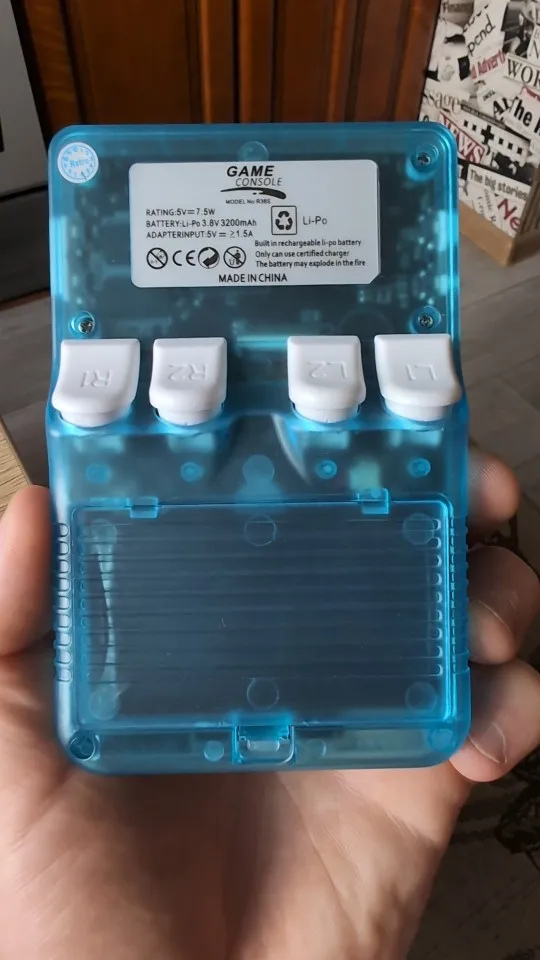
R36S Beginners Comprehensive Guide
The R36S is an affordable handheld emulation gaming console released in mid to late 2023. It can be purchased from r36s.co.uk.
This document compiles my notes and information about the device.
Ready to unleash the power of your R36S? Let’s dive in with these essential notes.
To charge your system, first ensure the charging cable and power adapter are compatible. Plug the cable into the left port on the bottom of the system. When it begins charging, a light in the center of the buttons will turn bright red. If the light does not turn red or remains light blue, the cable or charger may not be correct for this system. Keep the system plugged in until the light turns off, indicating a full charge.
One of the most useful button combinations to remember is pressing Select + Start together. This will exit out of whatever game is currently running and return you to the main games menu screen. Pressing Select + Start can also help exit out of a game that has crashed or frozen, avoiding the need to reset the device completely. (The Community Image has these mapped on FN+Start instead.)
Charging for the First Time and Low Voltage Error
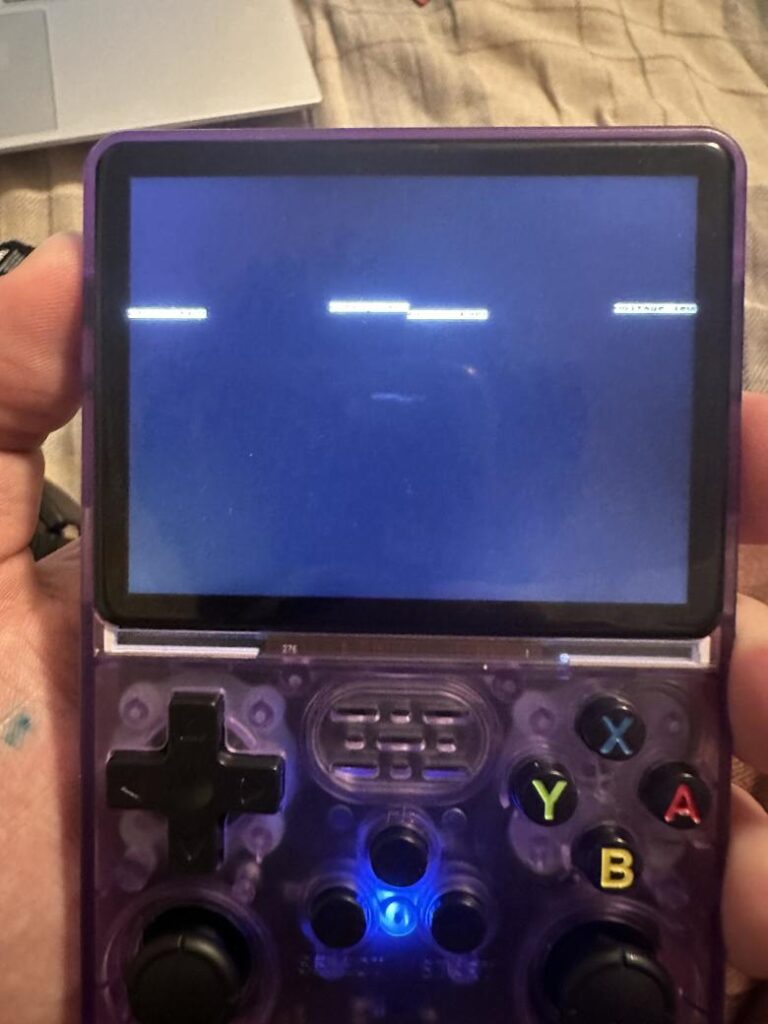
When the battery in the R36S is very low, you may see a “low voltage” message appear about a third of the way down the screen. This message is small, difficult to read, and may only flash briefly, making it easy to miss. At first glance, it might look like corrupted or glitched text. If you see this, it means the battery urgently needs to be recharged.
The first time you charge the R36S when the battery is completely dead, the “low voltage” screen may persist for a while even after plugging it in, or the device may not power on right away. This is normal. Leave it charging for a bit until the battery recovers enough to boot up normally.
I lost my themes and couldn’t choose a new one.

It’s either you deleted the themes/themes folder or your sd card got corrupted. If you’re still on stock SD Cards what are you doing? Replace that SD Card. You can try to download new themes from this GitHub Repo. But it’s bound to happen again sooner than later.
Does it support video out / Can I use it with a TV?
No, the R36S does not support video out. It uses the RK3326 chip, which does not support multiple video outputs, making it impossible to connect this device to a TV. However, a variant with the PX30 chip might work, but these are mostly seen in prototypes.
Battery Life Indicator
The battery life indicator can be misleading. When the battery is low and you plug in the charger, the indicator might almost immediately show 100 percent. These devices do not have an accurate Power Management IC (PMIC). Instead, the software gauges available power by monitoring battery voltage. When the battery is charging, the software sees the incoming voltage and assumes it’s higher than it actually is. The best practice is to charge the device while it’s turned off and wait for the charging light to go off.
Is this thing any good?
This affordable handheld packs a surprising punch! At only $30-$40, the R36S offers incredible value in the world of retro gaming devices. While it has some quirks, it’s hard to argue with what it delivers at this price point.
Here’s what makes it stand out:
- Price point king: For £65-£67, it’s hard to find a better deal. Imagine thousands of classic games at your fingertips for the price of a single new release!
- Screen gem: The vibrant display delivers rich colors and sharp visuals, making those pixelated classics shine.
- Versatility unlocked: Use it right out of the box with pre-loaded games or delve deeper by customizing the firmware for even more options.
- Game library galore: Dive into a vast ocean of retro titles, with thousands readily available and the ability to add even more.
However, it’s not perfect:
- Performance limits: Don’t expect flawless emulation for powerful 3D systems like the PSP, Dreamcast, and N64. Stick to 2D classics for the smoothest experience.
- Wi-Fi woes: Connecting to Wi-Fi can be tricky, which might hinder online features or firmware updates.
- Better options exist: As you spend more, you’ll find more powerful and refined retro handhelds.
So, who should consider the R36S?
- Retro newbies: It’s a fantastic starting point for anyone curious about retro gaming without breaking the bank.
- Gift idea extraordinaire: Surprise a friend or family member with a treasure trove of classic games they can rediscover or experience for the first time.
It might not be the most powerful retro warrior, but for its price tag, the R36S offers an impressive experience and opens the door to a world of nostalgic gaming fun.
Is there any custom firmware?
Yes, the R36S supports multiple operating system options, including:
- ArkOS: The pre-installed system, offering a user-friendly interface and good performance.
- AmberElec: A popular choice for its customization options and advanced features.
- Jelos: Another well-regarded system known for its stability and theme customization.
I just got my R36S; what modding can I do with it?
⚠️ Swap that R36S SD card, STAT!
Those pre-loaded cards are ticking time bombs! ⏰❌ Save yourself from glitchy saves, missing settings, and other retro roadblocks by swapping it out ASAP. This is your MUST-DO before any customizing!
Grab a reliable brand with enough space for your game loot, and don’t skimp on speed. ⚡️ New card, new adventures! ️
Flashing/Installation Guide Here
⚠️ Heads Up! ️ Not All SD Cards Love Your R3XS
While the OS(TF1/SD1) memory card slot loves all treats, the Game Slot (TF2/SD2) has its favorites! To avoid a blank screen tantrum (it just won’t work!), check out this cheat sheet for compatible brands: [R3XS Compatibility List]. Choose wisely, and your R36S will be ready for endless retro adventures!
Wireless Woes? Check Your R3XS’s Dongle Diet!
Wireless warriors, beware! Your R3XS might not vibe with all dongles. To avoid connection crashes and controller chaos, consult this compatibility list before you pair: [Dongle Compatibility List]. Game on!NOTE: Newer R33S/R35S/R36S consoles are coming with 4 new updated screens. If your brand new R33S/R35S/R36S doesn’t work with the usual DTB files.
Go to this Github Repo.
Look for a folder named “New Screens” within the firmware files. This folder might contain compatible DTB files (Device Tree Blobs) specifically designed for the new screens.
Other notable Mods:3D Printed Accessories and ModsTeardown & DPAD/Button FixInternal WiFi ModSilent Shoulder Mod(Foam)Silent Shoulder Mod (Microswitch Replacement)Hall Effect Joystick UpgradeAdd a Rumble Motor
Related Posts

What Operating System Does the R36 Max Use?

Is the R36 Max Any Good?

Does R36S have Minecraft?